Auto Light
| Repo: | IzzyOnDroid |
| AppID: | com.mine.autolight |
| Author: | The-First-King |
| License: | GPL-3.0-or-later |
| InRepoSince: | 2025-12-25 |
| LastRepoUpdate: | 2026-10-25 |
| LastAppUpdate: | 2026-10-25 |
| LastVersion: | 3.0 |
| Categories: | System |
| APK source: | Github |
| Google Play: | Check if it's there |

Auto Light: Precision Brightness Control
Auto Light is a specialized replacement for the standard Android adaptive brightness feature. Designed for users who demand absolute control, this app provides a custom-tailored brightness curve based on your specific environment.
This is a power-user tool that may require additionally manual configuration to function effectively.
For a proper function, it requires to disable the built-in Android Adaptive Brightness feature manually before using Auto Light app.
How It Works
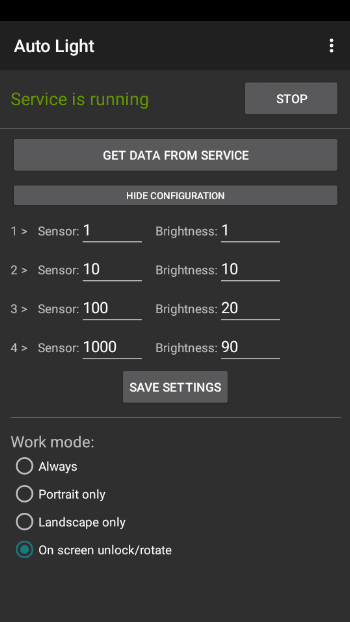
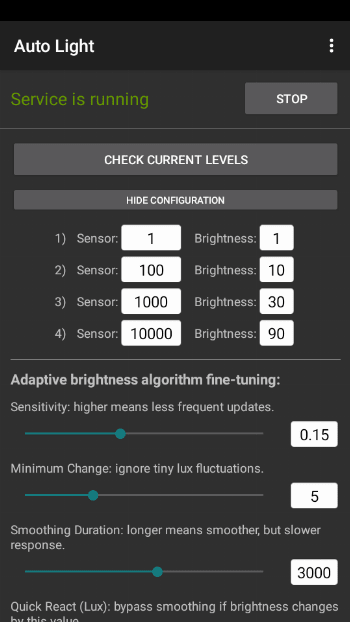
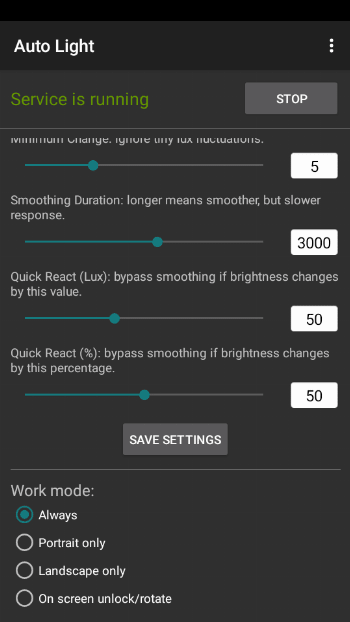
The app utilizes a four-point non-linear mapping model to create a smooth brightness curve. If the predefined settings do not meet your requirements, it allows you to set intermediate points for four distinct ambient light levels and their corresponding intensities. The app then calculates the optimal intermediate values to ensure a smooth, predictable transition.
The Auto Light app utilizes Android’s notification system to ensure stable background performance. Since the app does not send active alerts or messages, you may choose to disable notifications in your Android system settings without affecting core functionality. To do this within the app, tap the three dots in the top-right corner, go to Settings, and ensure Notifications is toggled off.
Permissions & Privacy
To provide reliable system control without compromising privacy, Auto Light uses:
- Modify System Settings: Necessary to adjust the display brightness levels.
- Notifications (Service Persistence): Used to maintain a Foreground Service, ensuring the Android system does not terminate the app while it's monitoring light levels.
- Run at Startup: Ensures your custom brightness profile is active immediately after a device reboot.
- User Present & Configuration Change: Used strictly to trigger brightness adjustments when you unlock your phone or rotate the screen (No privacy-sensitive data is accessed).
- Ignore Battery Optimizations: On first launch, the app asks to set it to "Unrestricted" so the background service keeps running while the device is idle.
Note: This app does NOT require Internet access, Location data, or Phone/Call logs, making it a privacy-respecting utility.
WhatsNew:
- The app icon and its display on the Android launcher have been improved.
- Adding an option to ignore battery optimizations. Previously, it was necessary to do this manually. Now, on first launch, the app asks to set it to "Unrestricted" so the background service keeps running while the device is idle.
- Adding a Quick Settings tile that opens an "Auto Light" panel. Tapping the tile allows turning the service on or off and enabling QR or barcode reader mode.
- QR or Barcode Reader Mode pauses