Smart Dock
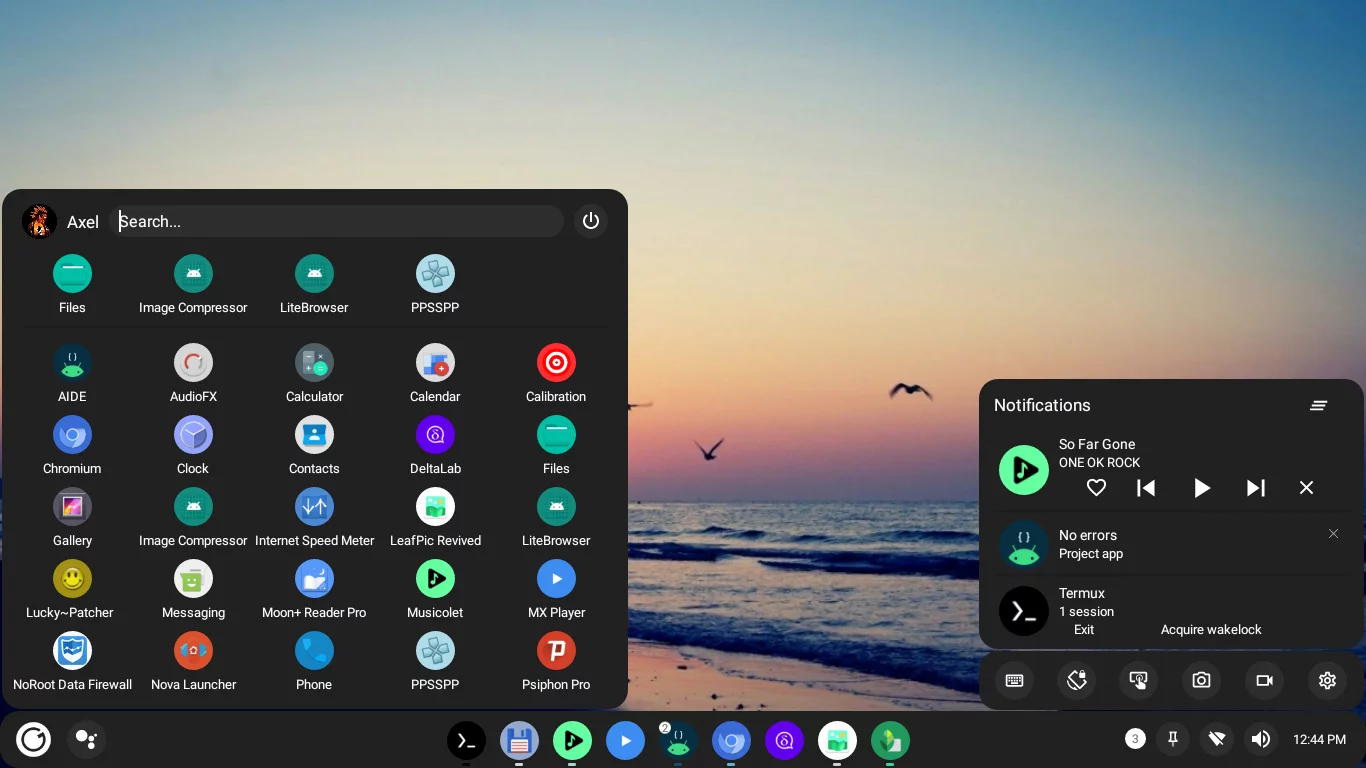
A user-friendly desktop mode launcher that offers a modern and customizable user
| AppID: | cu.axel.smartdock |
| Author: | Axel358 |
| License: | GPL-3.0-only |
| Donation: | Webpage |
| InRepoSince: | 2023-05-15 |
| LastRepoUpdate: | 2026-05-24 |
| LastAppUpdate: | Unknown |
| LastVersion: | 1.15.0 |
| Categories: | Launcher, System |
| APK source: | Github |
| Google Play: | Check if it's there |
 Main features:
* Very customizable, icons, colors, shapes, sounds
* Multi window support
* Keyboard shortcuts
* Support for both desktop and tablet layouts
* Compatible with all Android versions since Nougat, no root required
WhatsNew:
- Setting to override theme transparency for the Dock
- Ability to configure Dock items per screen orientation
- Redesigned Quick settings/Notifications panel
- Improved switching between displays
- Improved apps menu loading speed and sizing
- Drop support for Android 9 and below
- Shizuku integration(beta):
- Display real app tasks on the Dock
- Control Wi-Fi and Bluetooth directly
- Resize and snap app windows in free form
- Ability to close app windows
While you can download the APKs here directly, you should preferably use an F-Droid client so the app stays up-to-date on your device.
Packages
Version 1.15.0 (2026-05-24) 

Android Versions:
- Target: 16.0
- MinVer: 11.0
- ABIs: arm64-v8a, armeabi-v7a, x86, x86_64
Permissions:
Malware-Check:
Download (11.7 M)