xnotes
Handwriting notes and sketching app with stylus support
| Repo: | F-Droid.Org |
| AppID: | com.xnotes |
| Author: | Shardul Vikram Singh |
| License: | MIT |
| Donation: | Webpage |
| InRepoSince: | 2026-05-27 |
| LastRepoUpdate: | 2026-11-04 |
| LastAppUpdate: | Unknown |
| LastVersion: | 0.9.7 |
| Categories: | Writing |
| Google Play: | Check if it's there |
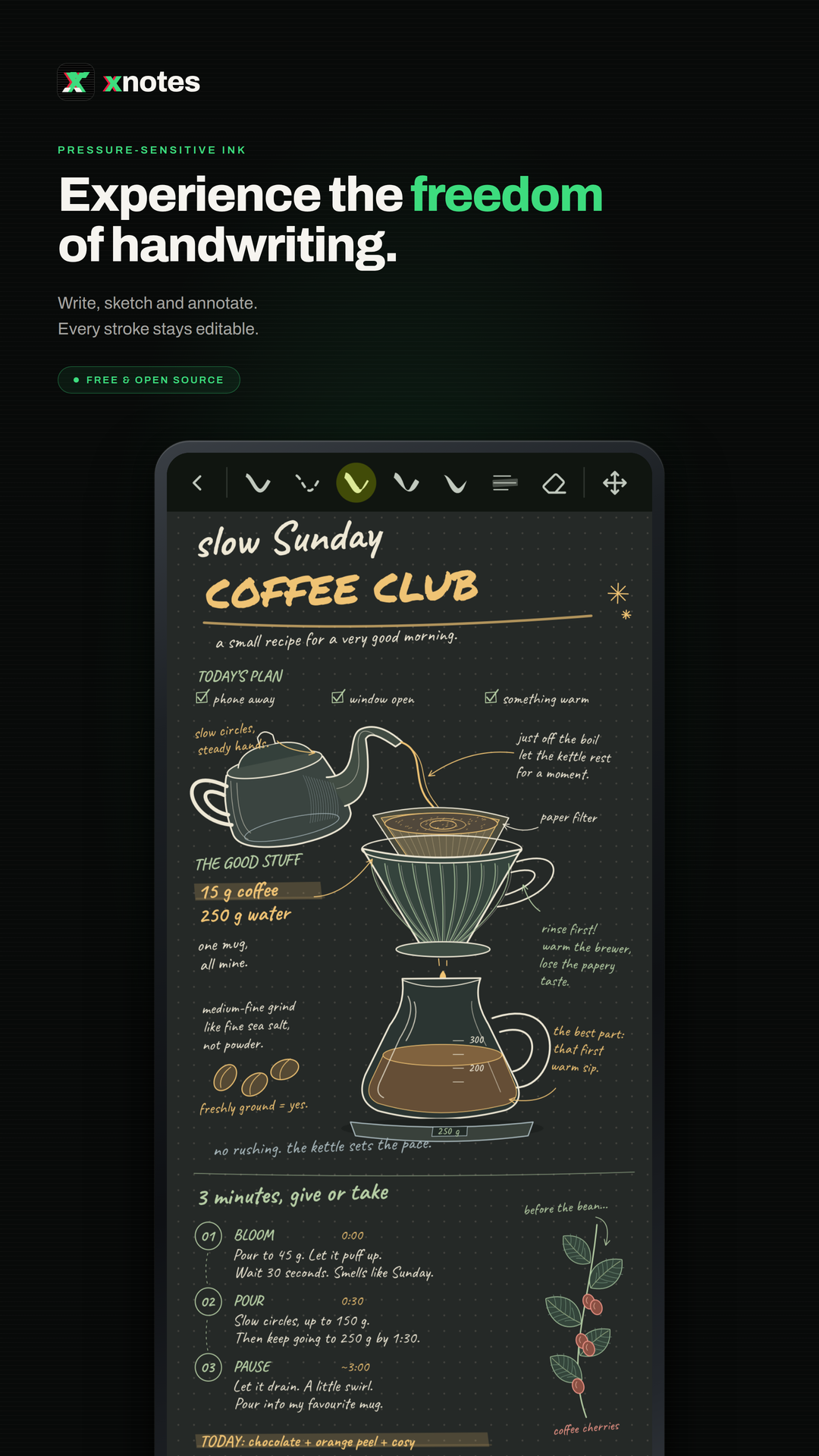
 xnotes is a handwriting notebook for Android, built for the stylus. Take notes, sketch and annotate PDFs with ink that feels like a pen on paper.
* Ink that feels like a pen: pressure-sensitive and low latency, with pens and highlighters.
* Neon glow: make any pen glow.
* Disappearing ink: ink that fades away on its own, great for teaching and presenting.
* Tape: cover answers with tape and tap to peel it back, for testing yourself.
* Shape snapping: draw a rough shape, hold, and it snaps clean.
* Sharp at any zoom: ink and PDFs stay crisp however far you zoom in.
* Notebooks and an infinite canvas: pages when you want structure, endless space when you don't.
* Book layouts: single, double or cover pages, scrolling or page flips.
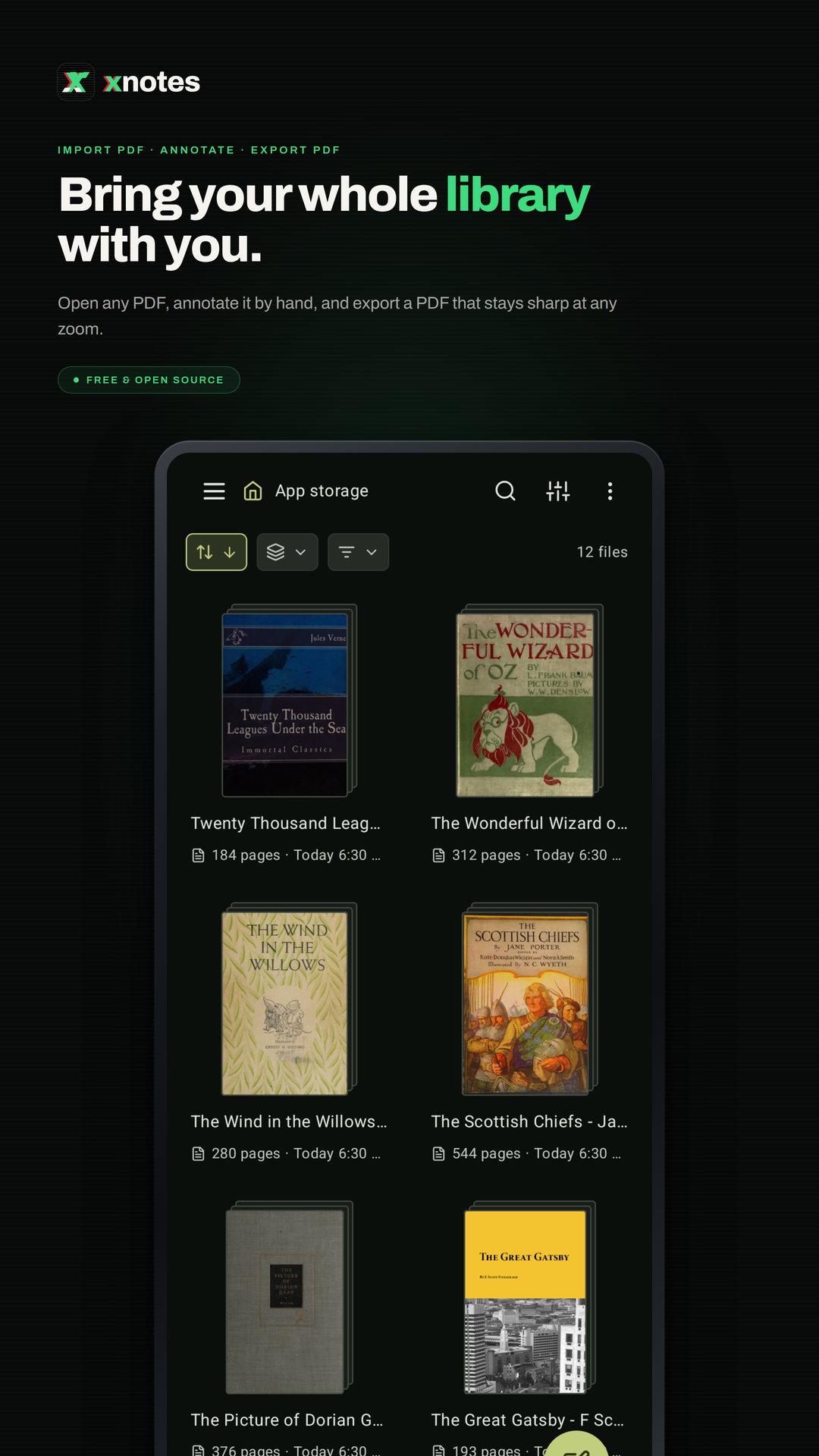
* PDF import: bring in any PDF and write all over it.
* Room for side notes: widen a PDF's margins on any edge and take notes on the side.
* Insert space: drag anywhere on a page to open up room there, even in the middle of a PDF.
* PDF text markups: highlight, underline and strike out text, add comments, search it.
* PDF colour filters: invert, sepia, contrast, brightness, multiply and screen.
* Images stay untouched: filter a PDF and its photos and images keep their true colours.
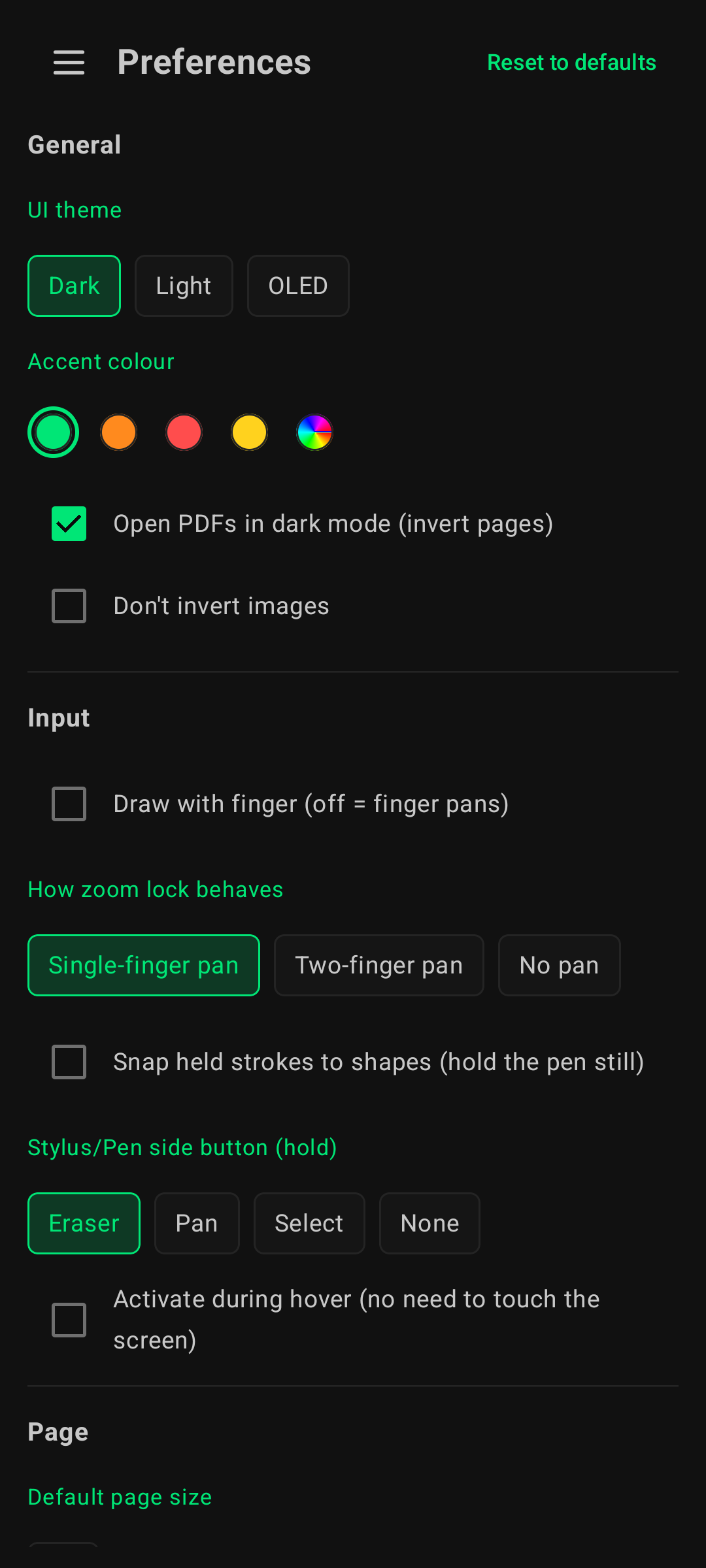
* Dark and OLED modes: easy on the eyes at night, true black on OLED screens.
* Real PDF export: sharp vector output with selectable text, links and bookmarks.
* Markdown: write in markdown and it formats as you type.
* Typed notes: tables, LaTeX equations and code highlighting, right on the page.
* Audio recording: record a lecture as you write, and your ink replays in sync with it.
* 20+ page templates: Cornell, planners, music staves, isometric and more.
* Endless themes: any accent colour, eight styles for each, dual tone and Material You.
* Make it yours: rearrange the toolbar, float it or dock it on any edge, and pick its size.
* Split view: two notes side by side.
* A real file explorer: grid, gallery, list, column and timeline views, with plenty to customise.
* Your notes, your folders: notes are saved as files in a folder you choose, not locked away in an app's database, so you stay in full control of them.
* Works with stylus pens: S Pen and many others.
* Always editable: nothing gets flattened, so every stroke can be moved, restyled or erased later.
* Private: open source, no account, no ads, no tracking, no internet access.
WhatsNew:
- Insert space tool: drag down to open room anywhere on a page, even mid-PDF
- Exported PDFs keep the room you inserted
While you can download the APKs here directly, you should preferably use an F-Droid client so the app stays up-to-date on your device.
Packages
Version 0.9.7 (2026-11-04) 

Android Versions:
- Target: 16.0
- MinVer: 8.0
- ABIs: arm64-v8a, armeabi-v7a, x86_64
Permissions:
Malware-Check:
Download (34.5 M)