Fokus Launcher
| Repo: | IzzyOnDroid |
| AppID: | io.github.luantak.fokuslauncher |
| Author: | luantak |
| License: | GPL-3.0-only |
| Donation: | Webpage |
| InRepoSince: | 2026-04-05 |
| LastRepoUpdate: | 2026-10-16 |
| LastAppUpdate: | 2026-10-16 |
| LastVersion: | 1.9.7 |
| Categories: | Theming |
| APK source: | Github |
| Google Play: | Check if it's there |

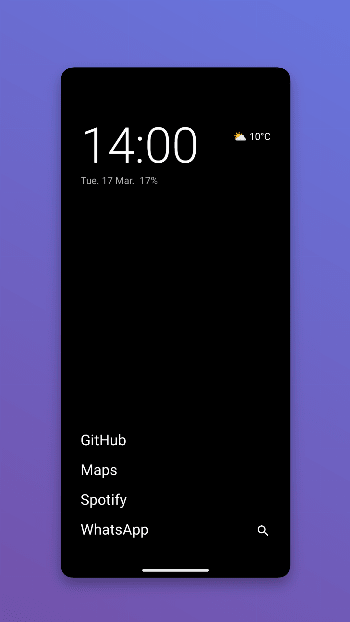
Fokus Launcher is an Android launcher for people who want a simpler, cleaner default experience. It focuses on fast access to time, weather, and core apps with minimal visual noise.
Home Screen
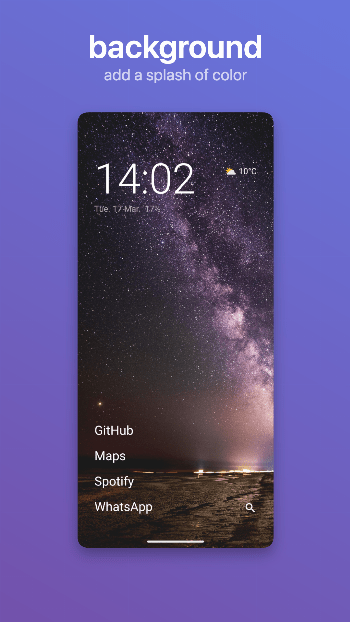
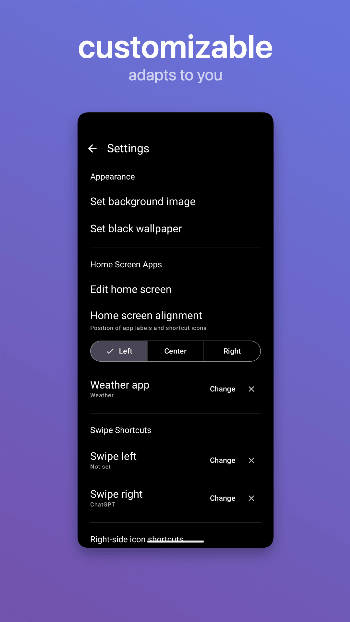
The home screen is intentionally minimal: a large clock and date, battery status, optional weather, configurable favorite app labels, and a configurable right-side shortcut rail. Tap the clock, date, or weather to open the apps you configure for each in settings. Primary interactions are gesture-based: swipe up to open the app drawer, swipe down to expand the notification shade, and swipe left or right to launch shortcut targets.
App Drawer
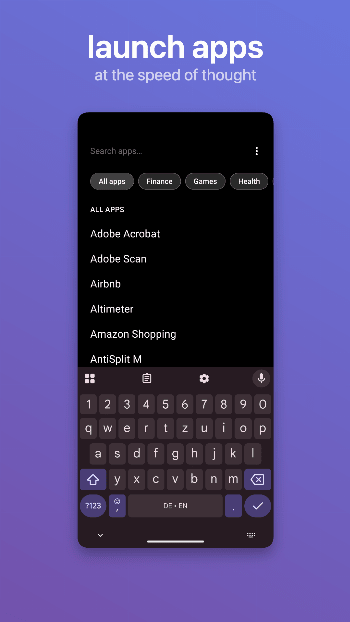
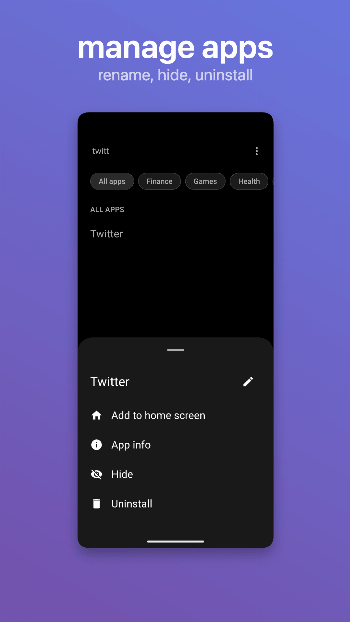
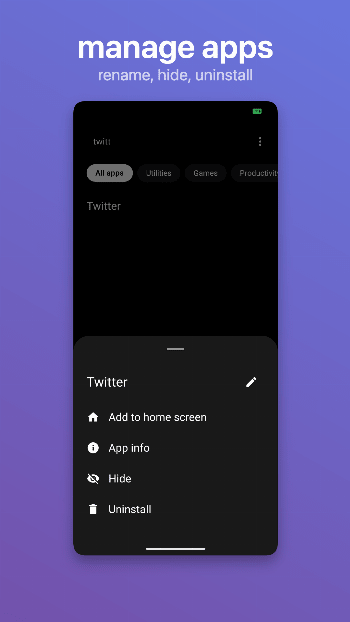
The drawer supports quick search, categories you define in settings, and optional alphabetical or most-opened app order. When only one app matches a search, Fokus can launch it directly. Optional category sidebar mode replaces the inline search bar with a vertical category rail; use the search icon when you need text search. Long-pressing an app offers add to home, rename, hide, and uninstall.
Dot search keeps you in that same field for web or in-app search. Type a period, a space, and your query, for example ". cats"; that searches in your browser by default until you change the default under Dot search in settings. For letter shortcuts, type a period, one lowercase letter, a space, and your query, for example ".a coffee" when you assigned the letter "a" there. Dot search settings also list search-capable apps and lets you add HTTPS or deep-link URL templates with a placeholder for the query.
Customization
Edit home apps, configure right-side shortcuts (including launcher shortcut actions), hide or rename apps, choose a custom font, and manage launcher data from the settings screen.
Weather
Weather is powered by Open-Meteo. No account or API key is required. Results are cached for 30 minutes. Location permission is optional and only used for local weather.
Work Profile
Work profile apps are shown alongside personal apps in the drawer when a work profile is active on the device.
Private Space (Android 15+)
On Android 15 and above (API 35+), Fokus supports Android's Private Space with lock/unlock controls and a separate section in the app drawer for private apps when the space is unlocked.
Optional Device Controls
These features only work if you turn on accessibility for Fokus in Android settings.
Double tap to lock can turn off the screen from empty home space. Return home after long lock can bring Fokus back to the foreground on unlock once the device stayed locked longer than a threshold you choose.
First-Run Onboarding
On first launch, Fokus walks you through welcome, optional location permission, default-launcher setup, home-screen customization, swipe-shortcut setup, and quick gesture tips.
Permissions
Fokus asks only for what it uses.
That covers uninstall flows from the launcher, internet access for weather and dot search, optional coarse location for local weather, and hidden-profile access for Private Space on supported versions. It also covers expanding the notification shade from swipe-down gestures, battery-optimization prompts for optional long-lock behavior, and applying wallpapers you choose in settings.
WhatsNew:
Export and import your launcher configuration.
Add app shortcuts to the drawer and find them in search.
Save notes as Markdown files in a chosen folder and start fresh notes.
Move home alignment to Look and feel. Keep music and Pomodoro widgets left aligned.
Support OpenType fonts and restore imported custom fonts correctly.
Correct screen-time totals and refresh every minute while home is active.
Improve widget setup compatibility on Android 14 and newer.