treehouses remote
Communicate with headless RaspPi server running treehouses image via Bluetooth
| AppID: | io.treehouses.remote |
| Author: | treehouses |
| License: | AGPL-3.0-only |
| Donation: | |
| InRepoSince: | 2018-03-10 |
| LastRepoUpdate: | 2026-03-05 |
| LastAppUpdate: | 2026-03-05 |
| LastVersion: | 6330 |
| Categories: | Connectivity |
| APK source: | Github |
| Google Play: | Check if it's there |

In order to use treehouses remote, it is required to download a custom Raspbian image that can be found here and flash it onto an SD card to be inserted into your Raspberry Pi.
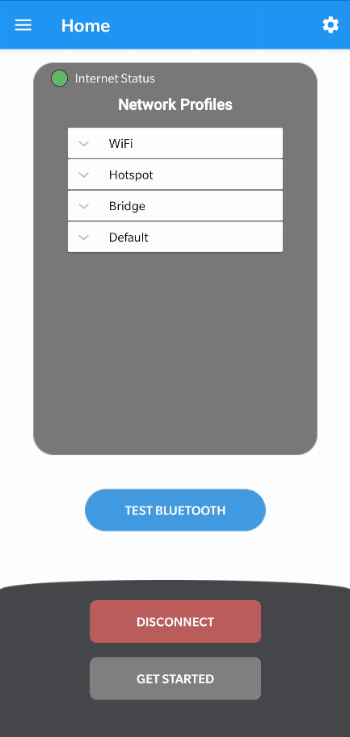
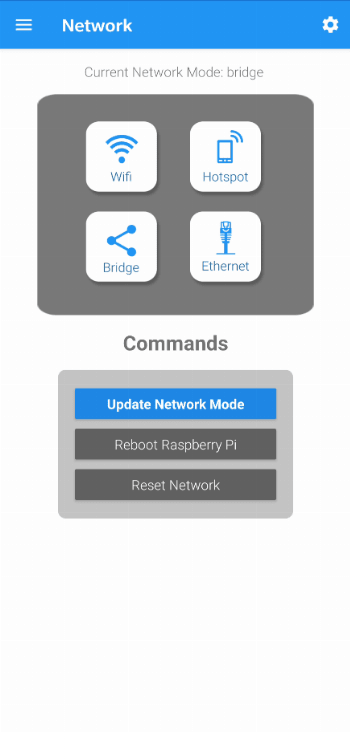
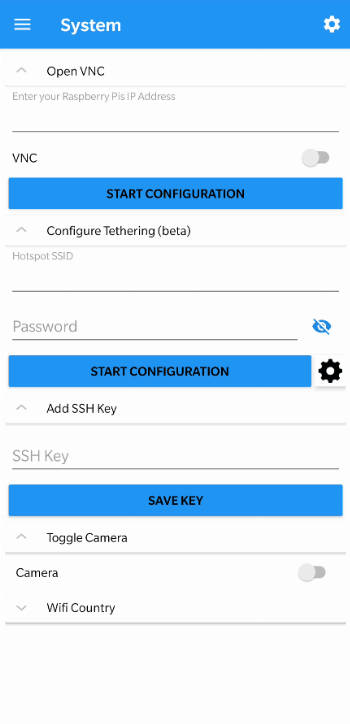
With treehouses remote, you can:
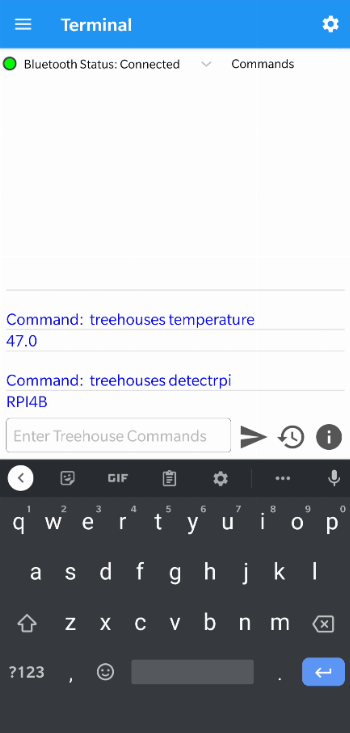
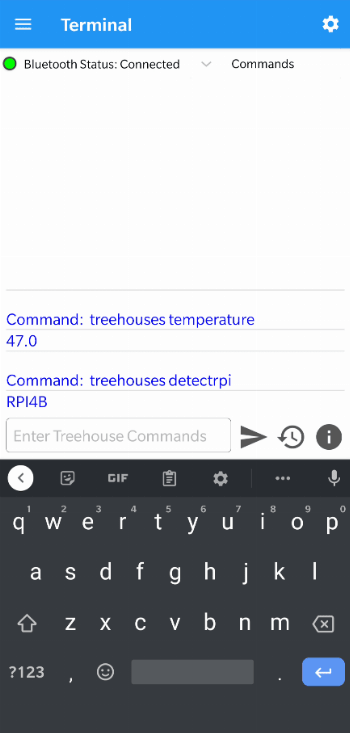
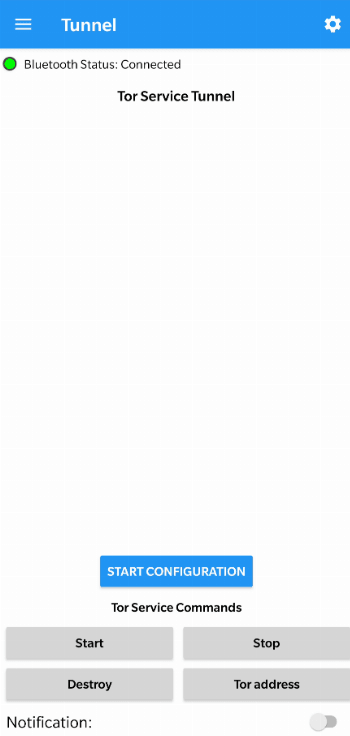
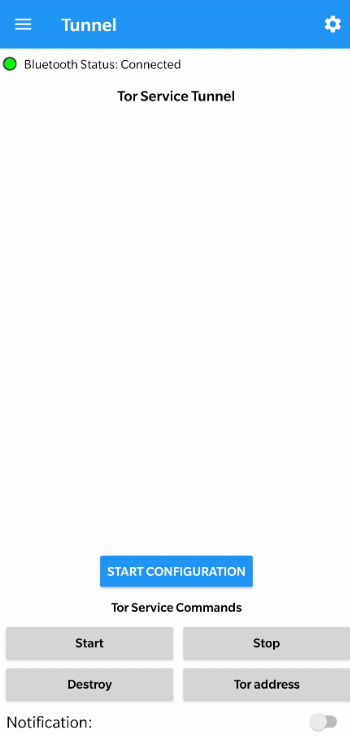
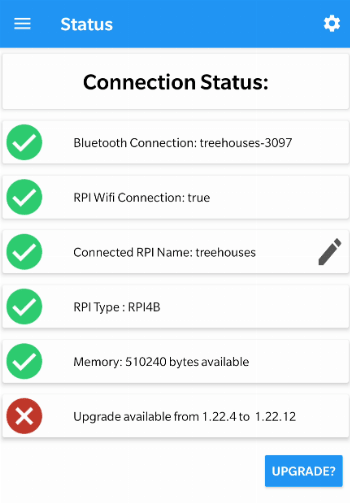
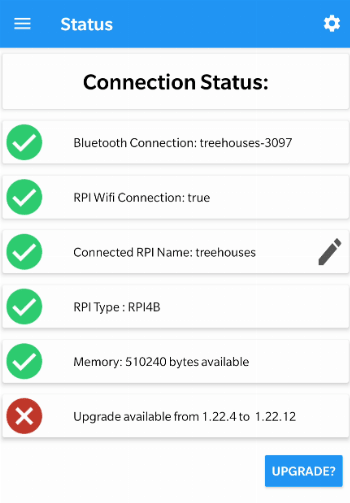
- Get detailed software and hardware information of a Raspberry Pi
- Configure a Raspberry Pi through user-friendly interface
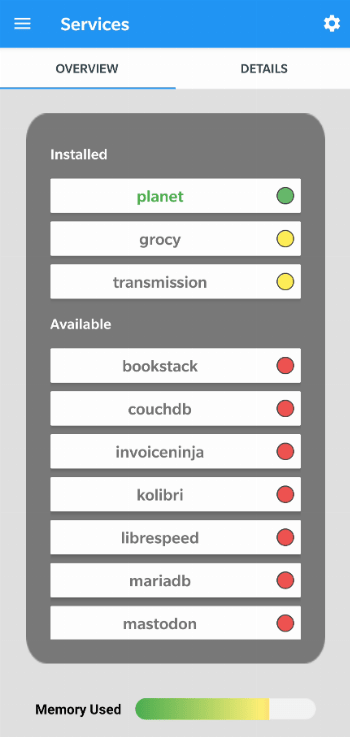
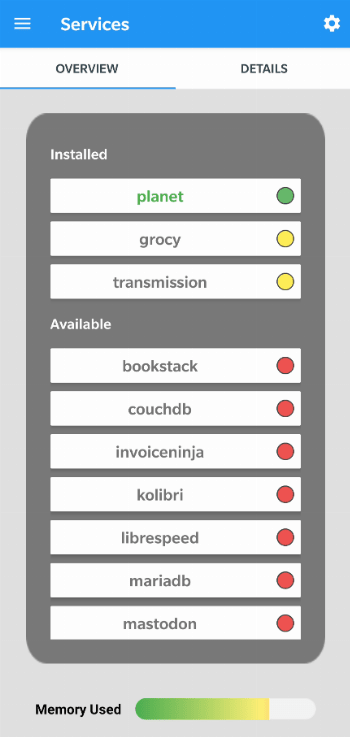
- Easily install and access services such as Nextcloud, Netdata, Transmission, MongoDB, MariaDB and Moodle on your RPi
- And utilize many more features!
Usage:
treehouses [command]
treehouses help [command]
Example Commands:
help --- gives you a more detailed info about the command or will output this
expandfs --- expands the partition of the RPi image to the maximum of the SD card
rename --- changes hostname
password --- changes the password for 'pi' user
sshkey --- used for adding or removing ssh keys for authentication
version --- returns the version of cli.sh command
image --- returns version of the system image installed
detectrpi --- detects the hardware version of a Raspberry Pi
detect --- detects the hardware version of any device
ethernet --- configures rpi network interface to a static IP address
discover --- performs network scan and discovers all Raspberry Pis on the network
wifi --- connects to a wifi network
wifihidden --- connects to a hidden wifi network
staticwifi --- configures RPi wifi interface to a static ip address
wifistatus --- displays signal strength in dBm and layman nomenclature
bridge --- configures the RPi to bridge the WLAN interface over a hotspot
container docker balena --- enables (and start) the desired container
bluetooth --- switches bluetooth from regular to hotspot mode and shows id or MAC address
ap --- creates a mobile ap, which has two modes: local (no eth0 bridging), internet (eth0 bridging)
apchannel --- sets or prints the current ap channel
timezone --- sets the timezone of the system
locale --- sets the system locale
ssh --- enables or disables the SSH service
vnc --- enables or disables the VNC server service
default --- sets a raspbian back to default configuration
wificountry --- sets the wifi country
upgrade --- upgrades cli.sh package using npm
sshtunnel --- helps adding an sshtunnel
led --- sets the led mode
rtc --- sets up the rtc clock specified
ntp --- sets rpi to host timing locally or to get timing from a remote server
networkmode --- outputs the current network mode
button --- gives the gpio pin 18 an action
feedback --- sends feedback
clone --- clones the current SDCard onto a secondary SD card or specified device
restore --- restores a treehouses image to an SD card or specified device
burn --- download and burns the latest treehouses image to the SD card or specified device
rebootneeded --- shows if reboot is required to apply changes
reboots --- reboots at given frequency | removes it if reboot task active
internet --- checks if the RPi has access to internet
services --- executes the given command on the specified service
tor --- deals with services on tor hidden network
bootoption --- sets the boot mode
openvpn --- helps setting up an openvpn client
coralenv --- plays with the coral environmental board
memory --- displays the total memory of the device, the memory used as well as the available free memory
temperature --- displays Raspberry Pi's CPU temperature
speedtest --- tests internet download and upload speed
camera --- enables camera, disables camera, captures png photo
cron --- adds, deletes a custom cron job or deletes, lists all cron jobs
usb --- turns usb ports on or off
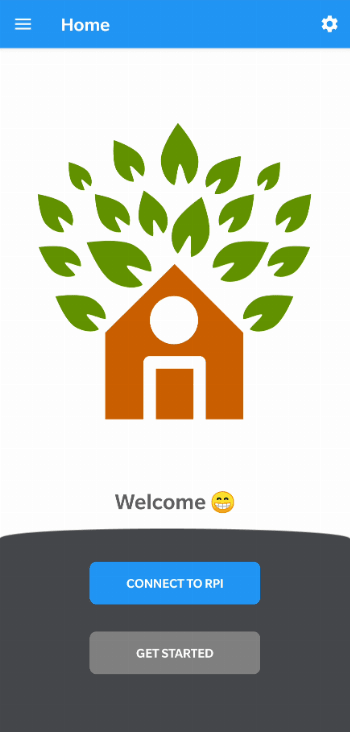

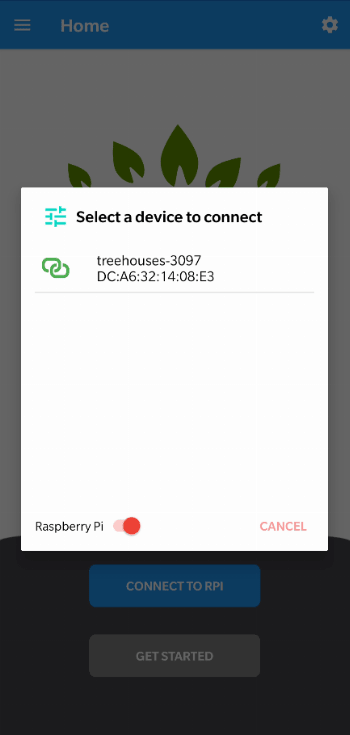
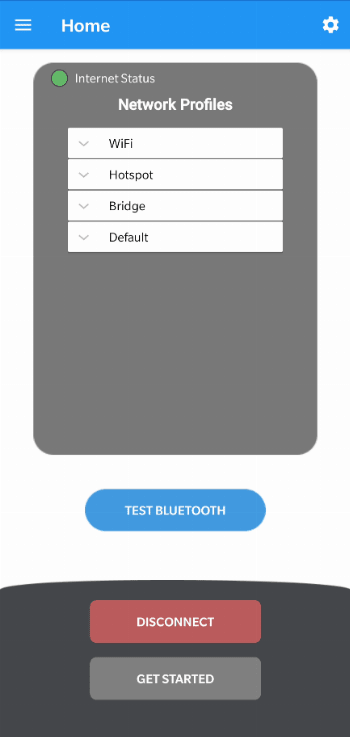

While you can download the APKs here directly, you should preferably use an F-Droid client so the app stays up-to-date on your device. Some clients have this repo enabled by default, e.g. Neo Store, Droid-ify, or, of course, the IzzyOnDroid client by Sunil. With others (like the official client) you'll have to add this repo manually (see the hint on top of the package list for how to do that).
Packages
Version 6330 (2026-03-05) 

Android Versions:
- Target: 16.0
- MinVer: 6.0
- ABIs: arm64-v8a, armeabi-v7a, x86, x86_64
:
App Configuration & Special Access
Sensitive Application Flags:
usesCleartextTraffic: to connect to the Raspi in your local network
:
- none
Permissions:
- android.Manifest.permission.OVERRIDE_WIFI_CONFIG
- ACCESS_COARSE_LOCATION (optional; used for global usage map, which anonymously visualizes where the app is being used worldwide.)
- ACCESS_FINE_LOCATION (optional; used for global usage map, which anonymously visualizes where the app is being used worldwide.)
- ACCESS_NETWORK_STATE
- ACCESS_WIFI_STATE
- android.permission.ACTION_PICK_WIFI_NETWORK
- BLUETOOTH
- BLUETOOTH_ADMIN
- BLUETOOTH_CONNECT
- BLUETOOTH_SCAN (to enable scanning and management of nearby devices within the app’s functionality, specifically for Raspberry Pi connections.)
- CHANGE_NETWORK_STATE
- CHANGE_WIFI_STATE
- FOREGROUND_SERVICE
- android.permission.FOREGROUND_SERVICE_CONNECTED_DEVICE
- android.permission.FOREGROUND_SERVICE_LOCATION
- INTERNET
- POST_NOTIFICATIONS
- VIBRATE
- WRITE_SETTINGS
- DYNAMIC_RECEIVER_NOT_EXPORTED_PERMISSION
Features:
- None
Malware-Check:Passed
78 Libraries detected:
Libraries:
- Android Support v4 (Development Framework)
The Android Support Library is not actually a single library, but rather a collection of libraries that can roughly be divided into two groups: compatibility and component libraries. For details, please see Understanding the Android Support Library.
- AndroidX Activity (Utility)
provides the base Activity subclass and the relevant hooks to build a composable structure on top.
- Android Jetpack Annotations (Utility)
library that contains the annotations for Android Jetpack.
- Arch (Utility)
helper for other arch dependencies, including JUnit test rules that can be used with LiveData.
- AppCompat (Utility)
support newer Android features on older Android versions.
- Asynclayoutinflater (UI Component)
AndroidX library to inflate layouts asynchronously to avoid jank in the UI.
- Cardview (UI Component)
AndroidX library to implement the Material Design card pattern with round corners and drop shadows.
- Android Support Library collections (Utility)
standalone efficient collections.
- Concurrent (Utility)
AndroidX library to help move tasks off the main thread with coroutines and take advantage of ListenableFuture.
- Constraint Layout Library (Utility)
library to reduce the number of nested views needed.
- Coordinatorlayout (UI Component)
AndroidX library to position top-level application widgets, such as AppBarLayout and FloatingActionButton.
- Androidx Core (Utility)
a static library that you can add to your Android application in order to use APIs that are either not available for older platform versions or utility APIs that aren't a part of the framework APIs.
- AndroidX Cursor Adapter (Utility)
static library support version of the framework's CursorAdapter.
- Android Support Library Custom View (UI Component)
a module to implement custom views. Part of the Android Support Library.
- Documentfile (UI Component)
a library to view a file document.
- Drawerlayout (UI Component)
AndroidX library to implement a Material Design drawer widget.
- Dynamicanimation (UI Component)
create smooth animations with a physics-based animation API.
- Android Emoji2 Compat (UI Component)
core library to enable emoji compatibility in Kitkat and newer devices to avoid the empty emoji characters.
- AndroidX Fragment (UI Component)
AndroidX library to encapsulate part of the user interface or behavior into reusable components.
- Androidx Graphics (Utility)
leverages graphics facilities across multiple Android platform releases.
- Interpolator (UI Component)
AndroidX library to use animation interpolators on older platforms.
- androidx.legacy (Utility)
a static library that you can add to your Android application in order to use APIs that are either not available for older platform versions or utility APIs that aren't a part of the framework APIs.
- Lifecycle (Utility)
perform actions in response to a change in the lifecycle status of another component, such as activities and fragments.
- Loader (Utility)
library to load data for your UI that survives configuration changes.
- AndroidX Local Broadcast Manager (Utility)
an application-wide event bus and embraces layer violations in your app: any component may listen events from any other.
- AndroidX Media (Utility)
share media contents and controls with other apps.
- Android Multi Dex Library (Utility)
helps deploying applications with multiple dex files on pre-Android 5 devices.
- Preference (Utility)
a library to build interactive settings screens without needing to interact with device storage or manage the UI.
- Print (Utility)
a library to print photos, docs, and other graphics and images.
- ProfileInstaller (Utility)
AndroidX library that enables libraries to prepopulate ahead of time compilation traces to be read by ART.
- ResourceInspection (Development Aid)
AndroidX library to surface the attributes of custom views in Android Studio’s Live Layout Inspector.
- Recyclerview (Utility)
display large sets of data in your UI while minimizing memory usage.
- Android Activity Saved State (Utility)
provides the base Activity subclass and the relevant hooks to build a composable structure on top.
- Slidingpanelayout (UI Component)
AndroidX library to implement a sliding pane UI pattern.
- Startup (Utility)
AndroidX library to implement a straightforward, performant way to initialize components at app startup.
- Swiperefreshlayout (UI Component)
implemtation of the swipe-to-refresh UI pattern.
- Tracing (Utility)
AndroidX library to write trace events to the system trace buffer.
- Transition (UI Component)
animates motion in the UI with starting and ending layouts.
- Vectordrawable (UI Component)
AndroidX library to render vector graphics.
- Android Jetpack VersionedParcelable (Utility)
Provides a stable but relatively compact binary serialization format that can be passed across processes or persisted safely.
- Viewpager (UI Component)
AndroidX library to display Views or Fragments in a swipeable format.
- AndroidX Widget ViewPager2 (UI Component)
replaces AndroidX ViewPager, addressing most of its predecessor’s pain-points, including right-to-left layout support, vertical orientation, modifiable Fragment collections, etc.
- Jetpack WindowManager Library (Utility)
enables application developers to support new device form factors and multi-window environments. The library provides a common API surface for API versions 14 and later. Especially provides additional functionality on foldable devices.
- Material Dialogs (UI Component)
library to help building dialogs that meet the Material Design standards, including e.g. progress display, multiple-choice selections with check-boxes, password (and other) text input.
- svg android (Utility)
SVG (Scalable Vector Graphics) library for Android.
- ReLinker (Utility)
a native library loader for Android.
- FlexboxLayout (Utility)
a library project which brings the similar capabilities of CSS Flexible Box Layout Module to Android.
- Google Material Design (Utility)
library to help with material design guidelines.
- Google Core Libraries for Java 6+ (Utility)
a set of core libraries that includes new collection types (such as multimap and multiset), immutable collections, a graph library, functional types, an in-memory cache, and APIs/utilities for concurrency, I/O, hashing, primitives, reflection, string processing, and much more.
- Error Prone (Utility)
a static analysis tool for Java that catches common programming mistakes at compile-time.
- Google Gson (Utility)
A Java serialization/deserialization library to convert Java Objects into JSON and back.
- JZlib (Utility)
a lossless data-compression library
- Crossfader (UI Component)
a small library to provide an easy to use and fast helper class for the great CrossFadeSlidingPaneLayout.
- CrossfadeDrawerLayout (UI Component)
adds a 2-Step DrawerLayout, with a nice crossfade effect.
- FastAdapter (Utility)
provides core functionality most apps require. It also prevents common mistakes by taking away those steps from the devs.
- Android-Iconics (Utility)
library to include vector icons with an app, i.e. having scalable icons.
- ItemAnimators (UI Component)
Supercharged Animators for RecyclerViews.
- MaterialDrawer (UI Component)
all in one drawer library with Material Design.
- Materialize (Utility)
manage an app's StatusBarShadow, FullScreen behavior and much more over API Levels down to 10 (Android 2.3.3).
- Parse.com (Development Framework)
an application builder platform. Parse.com was acquired by Facebook in 2013 and shut down in January 2017. For more details, see Wikipedia.
- OkHttp (Utility)
OkHttp is an HTTP+HTTP/2 client for Android and Java applications.
- Trilead SSH-2 for Java (Utility)
a library which implements the SSH-2 protocol in pure Java
- CircleImageView (UI Component)
circular ImageView for Android (displays images in circles, like „heads-up“).
- Kotlin (Utility)
The Kotlin Programming Language
- kotlinx.coroutines (Utility)
library support for Kotlin coroutines.
- Kotlin serialization (Utility)
Kotlin cross-platform / multi-format serialization.
- Bluetooth-Android (Utility)
class that allows you to communicate simply using a bluetooth connection.
- FancyShowCaseView (UI Component)
easy-to-use customisable show case view with circular reveal animation.
- MaterialProgressBar (UI Component)
Material Design ProgressBar with consistent appearance.
- EdDSA-Java (Utility)
pure Java implementation of EdDSA (cryptography: Edwards-curve Digital Signature Algorithm).
- I2P Android (Utility)
Android library for the Invisible Internet Project.
- ECC-25519 (Utility)
set of libraries which helps to use elliptic curve cryptography (ECC) with Curve25519 by Daniel J Bernstein.
- OkHttp okio Framework (Utility)
A modern I/O API for Java to make it much easier to access, store, and process your data.
- ConnectBot (Utility)
ConnectBot SSH client.
- IntelliJ IDEA (Utility)
development helper: integration for the IntelliJ IDEA IDE.
- JSpecify (Development Aid)
an artifact of fully-specified annotations to power static-analysis checks, beginning with nullness analysis.
- jBCrypt (Utility)
a Java™ implementation of OpenBSD's Blowfish password hashing code.
- android-gif-drawable (Utility)
Views and Drawable for displaying animated GIFs on Android.
Payment Modules:
- None found
Views and Drawable for displaying animated GIFs on Android.
Ads & Analytics:
- None found
Views and Drawable for displaying animated GIFs on Android.
Download (9.3 M)
Version 6329 (2025-12-18)
Android Versions:
- Target: 16.0
- MinVer: 6.0
- ABIs: arm64-v8a, armeabi-v7a, x86, x86_64
:
App Configuration & Special Access
Sensitive Application Flags:
usesCleartextTraffic: to connect to the Raspi in your local network
:
- none
Permissions:
- android.Manifest.permission.OVERRIDE_WIFI_CONFIG
- ACCESS_COARSE_LOCATION (optional; used for global usage map, which anonymously visualizes where the app is being used worldwide.)
- ACCESS_FINE_LOCATION (optional; used for global usage map, which anonymously visualizes where the app is being used worldwide.)
- ACCESS_NETWORK_STATE
- ACCESS_WIFI_STATE
- android.permission.ACTION_PICK_WIFI_NETWORK
- BLUETOOTH
- BLUETOOTH_ADMIN
- BLUETOOTH_CONNECT
- BLUETOOTH_SCAN (to enable scanning and management of nearby devices within the app’s functionality, specifically for Raspberry Pi connections.)
- CHANGE_NETWORK_STATE
- CHANGE_WIFI_STATE
- FOREGROUND_SERVICE
- android.permission.FOREGROUND_SERVICE_CONNECTED_DEVICE
- android.permission.FOREGROUND_SERVICE_LOCATION
- INTERNET
- POST_NOTIFICATIONS
- VIBRATE
- WRITE_SETTINGS
- DYNAMIC_RECEIVER_NOT_EXPORTED_PERMISSION
Features:
- None
Malware-Check:Passed
78 Libraries detected:
Libraries:
- Android Support v4 (Development Framework)
The Android Support Library is not actually a single library, but rather a collection of libraries that can roughly be divided into two groups: compatibility and component libraries. For details, please see Understanding the Android Support Library.
- AndroidX Activity (Utility)
provides the base Activity subclass and the relevant hooks to build a composable structure on top.
- Android Jetpack Annotations (Utility)
library that contains the annotations for Android Jetpack.
- Arch (Utility)
helper for other arch dependencies, including JUnit test rules that can be used with LiveData.
- AppCompat (Utility)
support newer Android features on older Android versions.
- Asynclayoutinflater (UI Component)
AndroidX library to inflate layouts asynchronously to avoid jank in the UI.
- Cardview (UI Component)
AndroidX library to implement the Material Design card pattern with round corners and drop shadows.
- Android Support Library collections (Utility)
standalone efficient collections.
- Concurrent (Utility)
AndroidX library to help move tasks off the main thread with coroutines and take advantage of ListenableFuture.
- Constraint Layout Library (Utility)
library to reduce the number of nested views needed.
- Coordinatorlayout (UI Component)
AndroidX library to position top-level application widgets, such as AppBarLayout and FloatingActionButton.
- Androidx Core (Utility)
a static library that you can add to your Android application in order to use APIs that are either not available for older platform versions or utility APIs that aren't a part of the framework APIs.
- AndroidX Cursor Adapter (Utility)
static library support version of the framework's CursorAdapter.
- Android Support Library Custom View (UI Component)
a module to implement custom views. Part of the Android Support Library.
- Documentfile (UI Component)
a library to view a file document.
- Drawerlayout (UI Component)
AndroidX library to implement a Material Design drawer widget.
- Dynamicanimation (UI Component)
create smooth animations with a physics-based animation API.
- Android Emoji2 Compat (UI Component)
core library to enable emoji compatibility in Kitkat and newer devices to avoid the empty emoji characters.
- AndroidX Fragment (UI Component)
AndroidX library to encapsulate part of the user interface or behavior into reusable components.
- Androidx Graphics (Utility)
leverages graphics facilities across multiple Android platform releases.
- Interpolator (UI Component)
AndroidX library to use animation interpolators on older platforms.
- androidx.legacy (Utility)
a static library that you can add to your Android application in order to use APIs that are either not available for older platform versions or utility APIs that aren't a part of the framework APIs.
- Lifecycle (Utility)
perform actions in response to a change in the lifecycle status of another component, such as activities and fragments.
- Loader (Utility)
library to load data for your UI that survives configuration changes.
- AndroidX Local Broadcast Manager (Utility)
an application-wide event bus and embraces layer violations in your app: any component may listen events from any other.
- AndroidX Media (Utility)
share media contents and controls with other apps.
- Android Multi Dex Library (Utility)
helps deploying applications with multiple dex files on pre-Android 5 devices.
- Preference (Utility)
a library to build interactive settings screens without needing to interact with device storage or manage the UI.
- Print (Utility)
a library to print photos, docs, and other graphics and images.
- ProfileInstaller (Utility)
AndroidX library that enables libraries to prepopulate ahead of time compilation traces to be read by ART.
- ResourceInspection (Development Aid)
AndroidX library to surface the attributes of custom views in Android Studio’s Live Layout Inspector.
- Recyclerview (Utility)
display large sets of data in your UI while minimizing memory usage.
- Android Activity Saved State (Utility)
provides the base Activity subclass and the relevant hooks to build a composable structure on top.
- Slidingpanelayout (UI Component)
AndroidX library to implement a sliding pane UI pattern.
- Startup (Utility)
AndroidX library to implement a straightforward, performant way to initialize components at app startup.
- Swiperefreshlayout (UI Component)
implemtation of the swipe-to-refresh UI pattern.
- Tracing (Utility)
AndroidX library to write trace events to the system trace buffer.
- Transition (UI Component)
animates motion in the UI with starting and ending layouts.
- Vectordrawable (UI Component)
AndroidX library to render vector graphics.
- Android Jetpack VersionedParcelable (Utility)
Provides a stable but relatively compact binary serialization format that can be passed across processes or persisted safely.
- Viewpager (UI Component)
AndroidX library to display Views or Fragments in a swipeable format.
- AndroidX Widget ViewPager2 (UI Component)
replaces AndroidX ViewPager, addressing most of its predecessor’s pain-points, including right-to-left layout support, vertical orientation, modifiable Fragment collections, etc.
- Jetpack WindowManager Library (Utility)
enables application developers to support new device form factors and multi-window environments. The library provides a common API surface for API versions 14 and later. Especially provides additional functionality on foldable devices.
- Material Dialogs (UI Component)
library to help building dialogs that meet the Material Design standards, including e.g. progress display, multiple-choice selections with check-boxes, password (and other) text input.
- svg android (Utility)
SVG (Scalable Vector Graphics) library for Android.
- ReLinker (Utility)
a native library loader for Android.
- FlexboxLayout (Utility)
a library project which brings the similar capabilities of CSS Flexible Box Layout Module to Android.
- Google Material Design (Utility)
library to help with material design guidelines.
- Google Core Libraries for Java 6+ (Utility)
a set of core libraries that includes new collection types (such as multimap and multiset), immutable collections, a graph library, functional types, an in-memory cache, and APIs/utilities for concurrency, I/O, hashing, primitives, reflection, string processing, and much more.
- Error Prone (Utility)
a static analysis tool for Java that catches common programming mistakes at compile-time.
- Google Gson (Utility)
A Java serialization/deserialization library to convert Java Objects into JSON and back.
- JZlib (Utility)
a lossless data-compression library
- Crossfader (UI Component)
a small library to provide an easy to use and fast helper class for the great CrossFadeSlidingPaneLayout.
- CrossfadeDrawerLayout (UI Component)
adds a 2-Step DrawerLayout, with a nice crossfade effect.
- FastAdapter (Utility)
provides core functionality most apps require. It also prevents common mistakes by taking away those steps from the devs.
- Android-Iconics (Utility)
library to include vector icons with an app, i.e. having scalable icons.
- ItemAnimators (UI Component)
Supercharged Animators for RecyclerViews.
- MaterialDrawer (UI Component)
all in one drawer library with Material Design.
- Materialize (Utility)
manage an app's StatusBarShadow, FullScreen behavior and much more over API Levels down to 10 (Android 2.3.3).
- Parse.com (Development Framework)
an application builder platform. Parse.com was acquired by Facebook in 2013 and shut down in January 2017. For more details, see Wikipedia.
- OkHttp (Utility)
OkHttp is an HTTP+HTTP/2 client for Android and Java applications.
- Trilead SSH-2 for Java (Utility)
a library which implements the SSH-2 protocol in pure Java
- CircleImageView (UI Component)
circular ImageView for Android (displays images in circles, like „heads-up“).
- Kotlin (Utility)
The Kotlin Programming Language
- kotlinx.coroutines (Utility)
library support for Kotlin coroutines.
- Kotlin serialization (Utility)
Kotlin cross-platform / multi-format serialization.
- Bluetooth-Android (Utility)
class that allows you to communicate simply using a bluetooth connection.
- FancyShowCaseView (UI Component)
easy-to-use customisable show case view with circular reveal animation.
- MaterialProgressBar (UI Component)
Material Design ProgressBar with consistent appearance.
- EdDSA-Java (Utility)
pure Java implementation of EdDSA (cryptography: Edwards-curve Digital Signature Algorithm).
- I2P Android (Utility)
Android library for the Invisible Internet Project.
- ECC-25519 (Utility)
set of libraries which helps to use elliptic curve cryptography (ECC) with Curve25519 by Daniel J Bernstein.
- OkHttp okio Framework (Utility)
A modern I/O API for Java to make it much easier to access, store, and process your data.
- ConnectBot (Utility)
ConnectBot SSH client.
- IntelliJ IDEA (Utility)
development helper: integration for the IntelliJ IDEA IDE.
- JSpecify (Development Aid)
an artifact of fully-specified annotations to power static-analysis checks, beginning with nullness analysis.
- jBCrypt (Utility)
a Java™ implementation of OpenBSD's Blowfish password hashing code.
- android-gif-drawable (Utility)
Views and Drawable for displaying animated GIFs on Android.
Payment Modules:
- None found
Views and Drawable for displaying animated GIFs on Android.
Ads & Analytics:
- None found
Views and Drawable for displaying animated GIFs on Android.
Download (9.3 M)
Version 6327 (2025-12-03)
Android Versions:
- Target: 16.0
- MinVer: 5.0
- ABIs: arm64-v8a, armeabi-v7a, x86, x86_64
:
App Configuration & Special Access
Sensitive Application Flags:
usesCleartextTraffic: to connect to the Raspi in your local network
:
- none
Permissions:
- android.Manifest.permission.OVERRIDE_WIFI_CONFIG
- ACCESS_COARSE_LOCATION (optional; used for global usage map, which anonymously visualizes where the app is being used worldwide.)
- ACCESS_FINE_LOCATION (optional; used for global usage map, which anonymously visualizes where the app is being used worldwide.)
- ACCESS_NETWORK_STATE
- ACCESS_WIFI_STATE
- android.permission.ACTION_PICK_WIFI_NETWORK
- BLUETOOTH
- BLUETOOTH_ADMIN
- BLUETOOTH_CONNECT
- BLUETOOTH_SCAN (to enable scanning and management of nearby devices within the app’s functionality, specifically for Raspberry Pi connections.)
- CHANGE_NETWORK_STATE
- CHANGE_WIFI_STATE
- FOREGROUND_SERVICE
- android.permission.FOREGROUND_SERVICE_CONNECTED_DEVICE
- android.permission.FOREGROUND_SERVICE_LOCATION
- INTERNET
- POST_NOTIFICATIONS
- VIBRATE
- WRITE_SETTINGS
- DYNAMIC_RECEIVER_NOT_EXPORTED_PERMISSION
Features:
- None
Malware-Check:Passed
78 Libraries detected:
Libraries:
- Android Support v4 (Development Framework)
The Android Support Library is not actually a single library, but rather a collection of libraries that can roughly be divided into two groups: compatibility and component libraries. For details, please see Understanding the Android Support Library.
- AndroidX Activity (Utility)
provides the base Activity subclass and the relevant hooks to build a composable structure on top.
- Android Jetpack Annotations (Utility)
library that contains the annotations for Android Jetpack.
- Arch (Utility)
helper for other arch dependencies, including JUnit test rules that can be used with LiveData.
- AppCompat (Utility)
support newer Android features on older Android versions.
- Asynclayoutinflater (UI Component)
AndroidX library to inflate layouts asynchronously to avoid jank in the UI.
- Cardview (UI Component)
AndroidX library to implement the Material Design card pattern with round corners and drop shadows.
- Android Support Library collections (Utility)
standalone efficient collections.
- Concurrent (Utility)
AndroidX library to help move tasks off the main thread with coroutines and take advantage of ListenableFuture.
- Constraint Layout Library (Utility)
library to reduce the number of nested views needed.
- Coordinatorlayout (UI Component)
AndroidX library to position top-level application widgets, such as AppBarLayout and FloatingActionButton.
- Androidx Core (Utility)
a static library that you can add to your Android application in order to use APIs that are either not available for older platform versions or utility APIs that aren't a part of the framework APIs.
- AndroidX Cursor Adapter (Utility)
static library support version of the framework's CursorAdapter.
- Android Support Library Custom View (UI Component)
a module to implement custom views. Part of the Android Support Library.
- Documentfile (UI Component)
a library to view a file document.
- Drawerlayout (UI Component)
AndroidX library to implement a Material Design drawer widget.
- Dynamicanimation (UI Component)
create smooth animations with a physics-based animation API.
- Android Emoji2 Compat (UI Component)
core library to enable emoji compatibility in Kitkat and newer devices to avoid the empty emoji characters.
- AndroidX Fragment (UI Component)
AndroidX library to encapsulate part of the user interface or behavior into reusable components.
- Androidx Graphics (Utility)
leverages graphics facilities across multiple Android platform releases.
- Interpolator (UI Component)
AndroidX library to use animation interpolators on older platforms.
- androidx.legacy (Utility)
a static library that you can add to your Android application in order to use APIs that are either not available for older platform versions or utility APIs that aren't a part of the framework APIs.
- Lifecycle (Utility)
perform actions in response to a change in the lifecycle status of another component, such as activities and fragments.
- Loader (Utility)
library to load data for your UI that survives configuration changes.
- AndroidX Local Broadcast Manager (Utility)
an application-wide event bus and embraces layer violations in your app: any component may listen events from any other.
- AndroidX Media (Utility)
share media contents and controls with other apps.
- Android Multi Dex Library (Utility)
helps deploying applications with multiple dex files on pre-Android 5 devices.
- Preference (Utility)
a library to build interactive settings screens without needing to interact with device storage or manage the UI.
- Print (Utility)
a library to print photos, docs, and other graphics and images.
- ProfileInstaller (Utility)
AndroidX library that enables libraries to prepopulate ahead of time compilation traces to be read by ART.
- ResourceInspection (Development Aid)
AndroidX library to surface the attributes of custom views in Android Studio’s Live Layout Inspector.
- Recyclerview (Utility)
display large sets of data in your UI while minimizing memory usage.
- Android Activity Saved State (Utility)
provides the base Activity subclass and the relevant hooks to build a composable structure on top.
- Slidingpanelayout (UI Component)
AndroidX library to implement a sliding pane UI pattern.
- Startup (Utility)
AndroidX library to implement a straightforward, performant way to initialize components at app startup.
- Swiperefreshlayout (UI Component)
implemtation of the swipe-to-refresh UI pattern.
- Tracing (Utility)
AndroidX library to write trace events to the system trace buffer.
- Transition (UI Component)
animates motion in the UI with starting and ending layouts.
- Vectordrawable (UI Component)
AndroidX library to render vector graphics.
- Android Jetpack VersionedParcelable (Utility)
Provides a stable but relatively compact binary serialization format that can be passed across processes or persisted safely.
- Viewpager (UI Component)
AndroidX library to display Views or Fragments in a swipeable format.
- AndroidX Widget ViewPager2 (UI Component)
replaces AndroidX ViewPager, addressing most of its predecessor’s pain-points, including right-to-left layout support, vertical orientation, modifiable Fragment collections, etc.
- Jetpack WindowManager Library (Utility)
enables application developers to support new device form factors and multi-window environments. The library provides a common API surface for API versions 14 and later. Especially provides additional functionality on foldable devices.
- Material Dialogs (UI Component)
library to help building dialogs that meet the Material Design standards, including e.g. progress display, multiple-choice selections with check-boxes, password (and other) text input.
- svg android (Utility)
SVG (Scalable Vector Graphics) library for Android.
- ReLinker (Utility)
a native library loader for Android.
- FlexboxLayout (Utility)
a library project which brings the similar capabilities of CSS Flexible Box Layout Module to Android.
- Google Material Design (Utility)
library to help with material design guidelines.
- Google Core Libraries for Java 6+ (Utility)
a set of core libraries that includes new collection types (such as multimap and multiset), immutable collections, a graph library, functional types, an in-memory cache, and APIs/utilities for concurrency, I/O, hashing, primitives, reflection, string processing, and much more.
- Error Prone (Utility)
a static analysis tool for Java that catches common programming mistakes at compile-time.
- Google Gson (Utility)
A Java serialization/deserialization library to convert Java Objects into JSON and back.
- JZlib (Utility)
a lossless data-compression library
- Crossfader (UI Component)
a small library to provide an easy to use and fast helper class for the great CrossFadeSlidingPaneLayout.
- CrossfadeDrawerLayout (UI Component)
adds a 2-Step DrawerLayout, with a nice crossfade effect.
- FastAdapter (Utility)
provides core functionality most apps require. It also prevents common mistakes by taking away those steps from the devs.
- Android-Iconics (Utility)
library to include vector icons with an app, i.e. having scalable icons.
- ItemAnimators (UI Component)
Supercharged Animators for RecyclerViews.
- MaterialDrawer (UI Component)
all in one drawer library with Material Design.
- Materialize (Utility)
manage an app's StatusBarShadow, FullScreen behavior and much more over API Levels down to 10 (Android 2.3.3).
- Parse.com (Development Framework)
an application builder platform. Parse.com was acquired by Facebook in 2013 and shut down in January 2017. For more details, see Wikipedia.
- OkHttp (Utility)
OkHttp is an HTTP+HTTP/2 client for Android and Java applications.
- Trilead SSH-2 for Java (Utility)
a library which implements the SSH-2 protocol in pure Java
- CircleImageView (UI Component)
circular ImageView for Android (displays images in circles, like „heads-up“).
- Kotlin (Utility)
The Kotlin Programming Language
- kotlinx.coroutines (Utility)
library support for Kotlin coroutines.
- Kotlin serialization (Utility)
Kotlin cross-platform / multi-format serialization.
- Bluetooth-Android (Utility)
class that allows you to communicate simply using a bluetooth connection.
- FancyShowCaseView (UI Component)
easy-to-use customisable show case view with circular reveal animation.
- MaterialProgressBar (UI Component)
Material Design ProgressBar with consistent appearance.
- EdDSA-Java (Utility)
pure Java implementation of EdDSA (cryptography: Edwards-curve Digital Signature Algorithm).
- I2P Android (Utility)
Android library for the Invisible Internet Project.
- ECC-25519 (Utility)
set of libraries which helps to use elliptic curve cryptography (ECC) with Curve25519 by Daniel J Bernstein.
- OkHttp okio Framework (Utility)
A modern I/O API for Java to make it much easier to access, store, and process your data.
- ConnectBot (Utility)
ConnectBot SSH client.
- IntelliJ IDEA (Utility)
development helper: integration for the IntelliJ IDEA IDE.
- JSpecify (Development Aid)
an artifact of fully-specified annotations to power static-analysis checks, beginning with nullness analysis.
- jBCrypt (Utility)
a Java™ implementation of OpenBSD's Blowfish password hashing code.
- android-gif-drawable (Utility)
Views and Drawable for displaying animated GIFs on Android.
Payment Modules:
- None found
Views and Drawable for displaying animated GIFs on Android.
Ads & Analytics:
- None found
Views and Drawable for displaying animated GIFs on Android.
Download (9.3 M)